> ## Documentation Index
> Fetch the complete documentation index at: https://api-docs.rabot.energy/llms.txt
> Use this file to discover all available pages before exploring further.
# Contract Data, Documents & Metrics
> Explore the comprehensive data and functionalities exposed by the /contracts endpoint, including it's sub-paths
Via the API, you can also get access to data about the indidvidual contracts of a customer. Note that a single customer can have multiple contracts.
Your application needs `role:application`, `role:customer-support` or `role: finance-reporting` scope to access contract information.
Every contract initially starts as an order, received either via the web funnel or the API (see [Build your own Funnel](/guides/orders)). Only after the order has been confirmed, and an order confirmation has been sent out to the user, the order is changed into a contract, and is visible via the respective endpoint in the API.
## Contract information
You can use the [list contracts](/api-reference/customers/list_contracts) endpoint to retrieve all contracts related to a particular user account.
### Contract state
The returns a `contractState` parameter that represents the contract lifecycle:
| Contract state | Description |
| ----------------- | -------------------------------------------------------------------------------------------------------------------------------------------------------------------------------------------------------------------------------------------------------------------------------------------------------------------- |
| `PendingDelivery` | The contract confirmation has been sent to the customer, including a date for start of delivery, but delivery has not started yet. |
| `Delivery` | The supply contract is active and RABOT is delivering energy to the delivery location |
| `Cancelled` | A contract termination has been received and an end of delivery date has been set. This could either be due to a customer actively sending a termination request, or because a customer has chosen a new supplier, and the supplier has communicated the termination request via the market communication processes. |
| `Revoked` | The customer has revoked the order |
| `Unspecified` | An unknown state, indicating an error in the communcation with other market actors |
For the contract state of `Cancelled`, you should additionally check the `endDateOfDelivery` parameter to see if the the contract has expired (i.e. reached end date) or if the contract is still active (if the contract end date has not been reached yet).
### Smart Meter Gateway / iMSys information
To determine if a given contract is enabled for dynamic price billing, and real energy consumption is available in 15 minute resolution, you can use the `accountingMethod` information provided by the API.
Note that the API returns the information as reported to us by the grid operator (Verteilnetzbetreiber). If a customer has installed an iMSys, the Meter Operator (Messtellenbetreiber) will notify the grid operator within 10 working days. Once the grid operator is notified, then an automatic changeover to TAF7 consumption data measurement takes place.
Once the grid operator notifies RABOT of the changeover to TAF7 consumption data transmission, RABOT's billing logic automatically switches to this billing method.
| Billing method | Description |
| -------------- | -------------------------------------------------------------------------------------------------------------------------------------------------------------------------------------------------------------------------------------------------------------------------------------------------- |
| `SLP` | The delivery location is not equipped with a Smart Meter (IMSys). Billing of consumed energy is based on standard load profiles |
| `IMSys (SLP)` | The delivery location is equipped with a Smart Meter (IMSys), but metering operator and/or grid operator are not yet providing data in 15 minute resolution. This can be the case shortly after the installation of the Smart Meter. Billing of consumed energy is based on standard load profiles |
| `IMSys (TAF7)` | The delivery location is equipped with a Smart Meter, and consumption reporting is available in 15 minutes resolution. |
### § 14a Module Information
If a customer has successfully registered for a module under the § 14a regulations pertaining to dynamic grid fees, we provide this information under the [paragraph14AInfo](/api-reference/customers/list_contracts#response-data-items-paragraph14-a-info).
| Module | Description |
| ---------- | ------------------------------------------------------------------------------------------------------------------------------- |
| `Module 1` | A flat, predefined reduction of grid fees granted in exchange for allowing the grid operator to temporarily control the device. |
| `Module 2` | A grid fee reduction based on the agreed controllable power level of the device, linking flexibility directly to capacity. |
| `Module 3` | Time-dependent grid fees that incentivise shifting consumption to grid-friendly periods. |
## Contract metrics
The [contract metrics endpoint](/api-reference/customers/get_contract_metrics) provides access to pricing and consumption information related to a specific contract. This can be actual recorded data (e.g. consumption values as reported by a Smart Meter) or forecasted data (e.g. consumption data for SLP customers, or day-ahead price energy pricing).
Your application needs `role:application` scope to access contract metrics.
### MetricType
You can select the type of information that you want to retrieve by specifying the appropriate `MetricType`:
| MetricType | Description |
| -------------- | ---------------------------------------------------------------------------------------------------------------------------------------------------------------------------------------- |
| `Consumption` | The energy consumed during the selected period (in kWh). Can be either measured or estimated. |
| `WorkingPrice` | The estimated average working price (ct/kWh) in the selected period, including all fees and taxes. |
| `TotalCost` | The total energy cost in the selected period, including all fees and taxes. If the selected period is smaller than a month, the applicable monthly fees will be pro-rated to the period. |
| `Saving` | The monetary savings (in EUR) in the selected period, compared to the local default supplier's tariff pricing. |
| `Co2Saving` | The savings in carbon emissions, commpared to the german energy grid mix. |
Note that for `WorkingPrice` and `TotalCost` metrics, the values returned by this API endpoint might not match the amounts reflected on the customer's invoice.
This is due to the fact that certain price conditions or discounts are only applied during the monthly billing process. For example a working price cap is only applied when the monthly settlement is created, which may result ina lower effective price than the average `WorkingPrice` returned by the API.
The final settlement calculation performed by RABOT (Energy Supplier) and is the authoritative source for settlement amounts. Partners should therefore include a disclaimer when displaying `WorkingPrice` or `TotalCost`, indicating that final billed amounts may vary.
Additionally, deviations may occur due to delayed or corrected consumption data received from market partners (e.g. grid operators), which can affect the availability of `Actual values` at a given point in time.
### ValueType
You can use the `ValueType` request parameter to define if you want to only receive recorded data or forecasted data, or both:
| ValueType | Description |
| ---------- | ---------------------------------------------------------------------------------------------------------------------------------------------------------------------------------------------------------------------------- |
| `Actual` | return only data based on measurements, e.g. energy consumption reported by the DSO |
| `Forecast` | return only data based on estimations, e.g. consumption estimated based on standard load profiles (SLP), not confirmed by actual meter reading yet |
| `Dynamic` | return either actual or forecasted data for the whole period, but not mixed |
| `Combined` | return either actual or forecasted data. E.g. when querying data for a month on daily level, for some days the API might returned actual data, while for other days might return forecasted data, based on data availability |
In general, it is advisable to use `Combined` valuetype as a default
### Periods and Intervals
The API allows to retrieve data in different granularity, from to 15 minute intervals, up to aggregation on monthly or yearly level. Use the `interval` parameter to select the aggregation level. To limit the size of the result set, depending on the selected `interval`, you can only query a limited time period:
| interval | maximum period |
| --------------- | -------------- |
| `QuarterHourly` | 3 days |
| `Hourly` | 5 days |
| `Daily` | 2 months |
| `Weekly` | 1 year |
| `Monthly` | 15 years |
| `Yearly` | 50 years |
If you try to request a longer period, the API will return an `HTTP 400` error.
### Forecasted data availability
Via the contract metrics endpoint, you can retrieve both recorded data as well as forecasted data, i.e. data for future time periods. Forecasted data is only available for a limited number of day into the future, and generated as part of a scheduled data processing in the Rabot platform:
| MetricType | generated | coverage |
| -------------- | ---------------------- | ----------- |
| `Consumption` | before 00:00 every day | next 7 days |
| `WorkingPrice` | before 00:00 every day | current day |
| `TotalCost` | before 00:00 every day | current day |
| `Saving` | before 00:00 every day | current day |
| `Co2Saving` | before 00:00 every day | next 7 days |
If you request data outside of the coverage window (e.g. `WorkingPrice` data for today + 3 days), the API will return an empty data set.
### Example - 15-min consumption for Smart Meter
For contracts that are linked to a Smart Meter, the RABOT platform typically receives the measured consumption values in 15 minutes intervals on the following day. You can use the API to retrieve this information e.g. to display a detailed consumption graph to the user.
```shell Request theme={null}
curl -L "https://api.rabot-charge.de/partner/v1/customers/87678631/contracts/26765215/metrics?period.from=2025-03-01&period.to=2025-03-02&interval=QuarterHourly&metricType=Consumption&valueType=Actual" \
-H "Authorization: ••••••"
```
```json Response expandable theme={null}
{
"data": {
"valueUnitInfo": "in kWh",
"consideredDataPeriod": {
"from": "2025-03-01 00:00:00",
"to": "2025-03-02 00:00:00"
},
"metricType": "Consumption",
"valueType": "Actual",
"interval": "QuarterHourly",
"intervalDuration": 96.0000,
"averageValuePerInterval": 0.6148,
"totalValue": 59.0165,
"numberOfEntries": 96,
"records": [
{
"moment": "2025-03-01 00:00:00",
"value": 0.3619,
"valueRelevanceType": "Actual"
},
{
"moment": "2025-03-01 00:15:00",
"value": 0.3486,
"valueRelevanceType": "Actual"
},
{
"moment": "2025-03-01 00:30:00",
"value": 0.3369,
"valueRelevanceType": "Actual"
},
...
{
"moment": "2025-03-01 23:30:00",
"value": 0.5152,
"valueRelevanceType": "Actual"
},
{
"moment": "2025-03-01 23:45:00",
"value": 0.4810,
"valueRelevanceType": "Actual"
}
]
},
"isSuccess": true,
"message": null,
"error": null
}
```
### Example - Daily energy cost
You can easily retrieve the daily energy cost for any contract using the metrics API endpoint:
```shell Request theme={null}
curl -L "https://api.rabot-charge.de/partner/v1/customers/87678631/contracts/26765215/metrics?period.from=2025-03-01&period.to=2025-04-01&interval=Daily&metricType=TotalCost&valueType=Combined" \
-H "Authorization: ••••••"
```
```json Response expandable theme={null}
{
"data": {
"valueUnitInfo": "in Euro",
"consideredDataPeriod": {
"from": "2025-03-01 00:00:00",
"to": "2025-04-01 00:00:00"
},
"metricType": "TotalCost",
"valueType": "Combined",
"interval": "Daily",
"intervalDuration": 30.9583,
"averageValuePerInterval": 16.8718,
"totalValue": 522.3232,
"numberOfEntries": 31,
"records": [
{
"moment": "2025-03-01 00:00:00",
"value": 22.5213,
"valueRelevanceType": "Actual"
},
{
"moment": "2025-03-02 00:00:00",
"value": 18.2885,
"valueRelevanceType": "Actual"
},
...
{
"moment": "2025-03-30 00:00:00",
"value": 6.6829,
"valueRelevanceType": "Forecast"
},
{
"moment": "2025-03-31 00:00:00",
"value": 9.8037,
"valueRelevanceType": "Forecast"
}
]
},
"isSuccess": true,
"message": null,
"error": null
}
```
### Example - Day-Ahead Working Price
The metrics endpoint can also be used to get the future energy cost based on the Day Ahead market prices, and including all other fixed and variable fees and taxes.
```shell Request theme={null}
curl -L "https://api.rabot-charge.de/partner/v1/customers/87678631/contracts/26765215/metrics?period.from=2025-05-05&period.to=2025-05-06&interval=Hourly&metricType=WorkingPrice&valueType=Combined" \
-H "Authorization: ••••••"
```
```json Response expandable theme={null}
{
"data": {
"valueUnitInfo": "in Cent/kWh",
"consideredDataPeriod": {
"from": "2025-05-05 00:00:00",
"to": "2025-05-06 00:00:00"
},
"metricType": "WorkingPrice",
"valueType": "Combined",
"interval": "Hourly",
"intervalDuration": 24.0000,
"averageValuePerInterval": 32.5362,
"totalValue": 780.8697,
"numberOfEntries": 24,
"records": [
{
"moment": "2025-05-05 00:00:00",
"value": 31.0816,
"valueRelevanceType": "Forecast"
},
{
"moment": "2025-05-05 01:00:00",
"value": 30.5259,
"valueRelevanceType": "Forecast"
},
{
"moment": "2025-05-05 02:00:00",
"value": 30.7329,
"valueRelevanceType": "Forecast"
},
{
"moment": "2025-05-05 03:00:00",
"value": 31.0780,
"valueRelevanceType": "Forecast"
},
...
{
"moment": "2025-05-05 22:00:00",
"value": 34.2161,
"valueRelevanceType": "Forecast"
},
{
"moment": "2025-05-05 23:00:00",
"value": 33.3759,
"valueRelevanceType": "Forecast"
}
]
},
"isSuccess": true,
"message": null,
"error": null
}
```
This data is available in the TEST environment at 6pm CET and in the PROD environment at midnight (12am) CET for Day-Ahead values.
## Contract documents
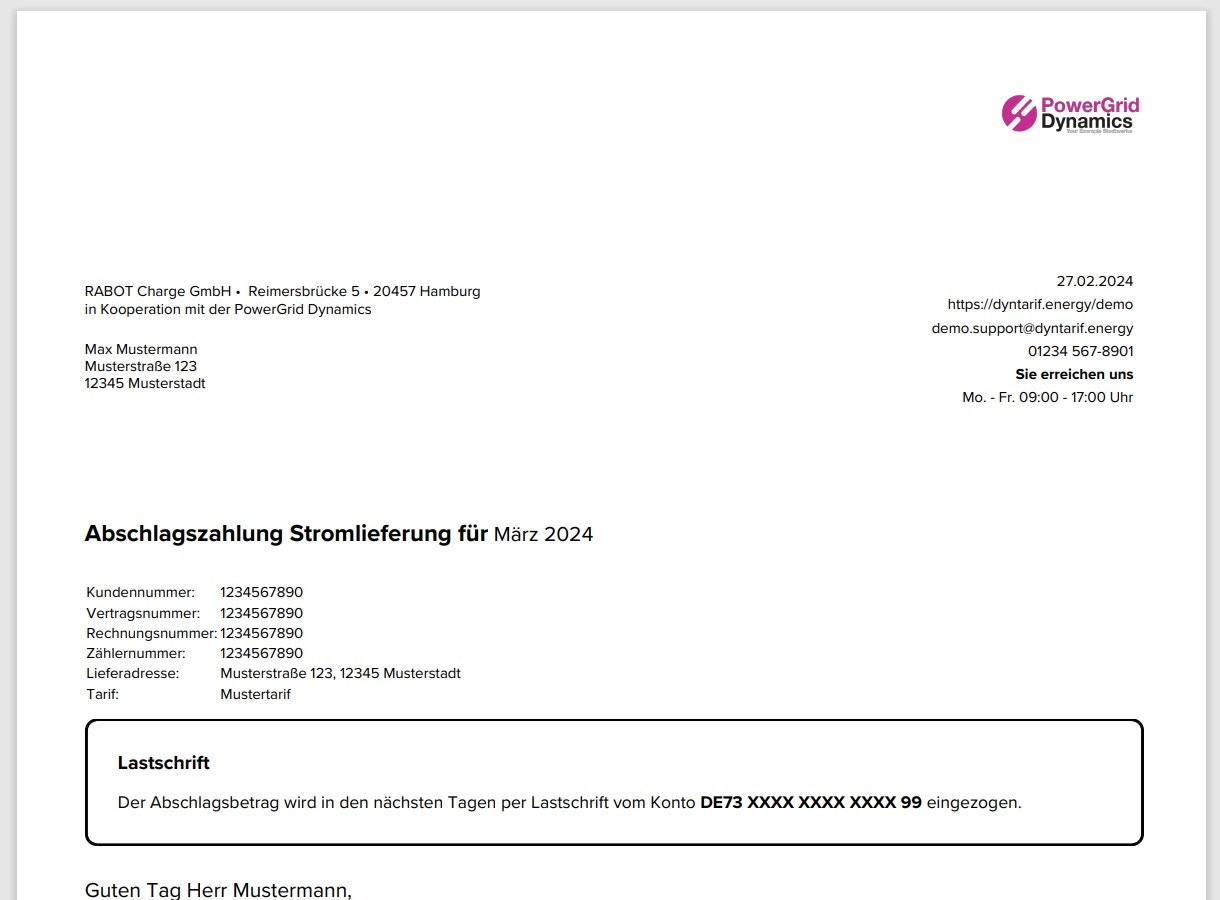
The API also provides access to relevant contract-related documents, such as the prepayment and settlement invoices, so that your application can present these documents to the customer to review or download.
1. Use [get contract documents](/api-reference/customers/list_contract_documents) to retrieve the list of documents that are available for a contract.
```cURL Example request theme={null}
curl -L "https://api.rabot-charge.de/partner/v1/customers/46491184/contracts/98361641/documents" \
-H "Authorization: ••••••"
```
```json Example response theme={null}
{
"data": {
"items": [
{
"fileId": "9ab28c33-a680-48c1-a7d1-1528a1e97a24",
"documentType": "PrePayment",
"name": "DemoPrepayment_202503",
"extension": ".pdf",
"sizeInBytes": 74681,
"isAvailableForCustomer": true,
"lastDownloadedAt": "2025-07-18",
"info": {
"TargetMonths": [
"2025-03"
]
},
"billogramUrl": null
},
{
"fileId": "c88c2551-d76f-4f1d-a1c3-2806e7367ba3",
"documentType": "Settlement",
"name": "DemoSettlement_202503",
"extension": ".pdf",
"sizeInBytes": 199261,
"isAvailableForCustomer": true,
"lastDownloadedAt": "2025-07-18",
"info": {
"TargetMonths": [
"2025-03"
]
},
"billogramUrl": null
}
]
},
"isSuccess": true,
"message": null,
"error": null
}
```
2. With a `fileId` from the API call above, you can then download an individual document using the [download document](/api-reference/customers/download_contract_document) endpoint
```cURL Example request theme={null}
curl -L "https://api.rabot-charge.de/partner/v1/customers/46491184/contracts/98361641/documents/9ab28c33-a680-48c1-a7d1-1528a1e97a24" \
-H "Authorization: ••••••"
```
 ## Contract cost details
To understand the price components that make up the contract cost, the API offers the [contract cost details](/api-reference/customers/get_contract_costs) endpoint. This endpoint provides the same information that customers have received together with their order confirmation, and splits out energy cost, service fees and all applicable taxes and levies.
The price component information only applies to dynamic price tariffs, **not** to fix price tariffs (that guarantee the same basic fee and working price for the duration of the contract).
## Questions or Concerns?
Feel free to speak with our [Integration Management Team](mailto:j.ohara@rabot.energy) or alternatively, ask our built-in AI assistant, Rabotini 🤖 (several languages supported).
## Contract cost details
To understand the price components that make up the contract cost, the API offers the [contract cost details](/api-reference/customers/get_contract_costs) endpoint. This endpoint provides the same information that customers have received together with their order confirmation, and splits out energy cost, service fees and all applicable taxes and levies.
The price component information only applies to dynamic price tariffs, **not** to fix price tariffs (that guarantee the same basic fee and working price for the duration of the contract).
## Questions or Concerns?
Feel free to speak with our [Integration Management Team](mailto:j.ohara@rabot.energy) or alternatively, ask our built-in AI assistant, Rabotini 🤖 (several languages supported).